



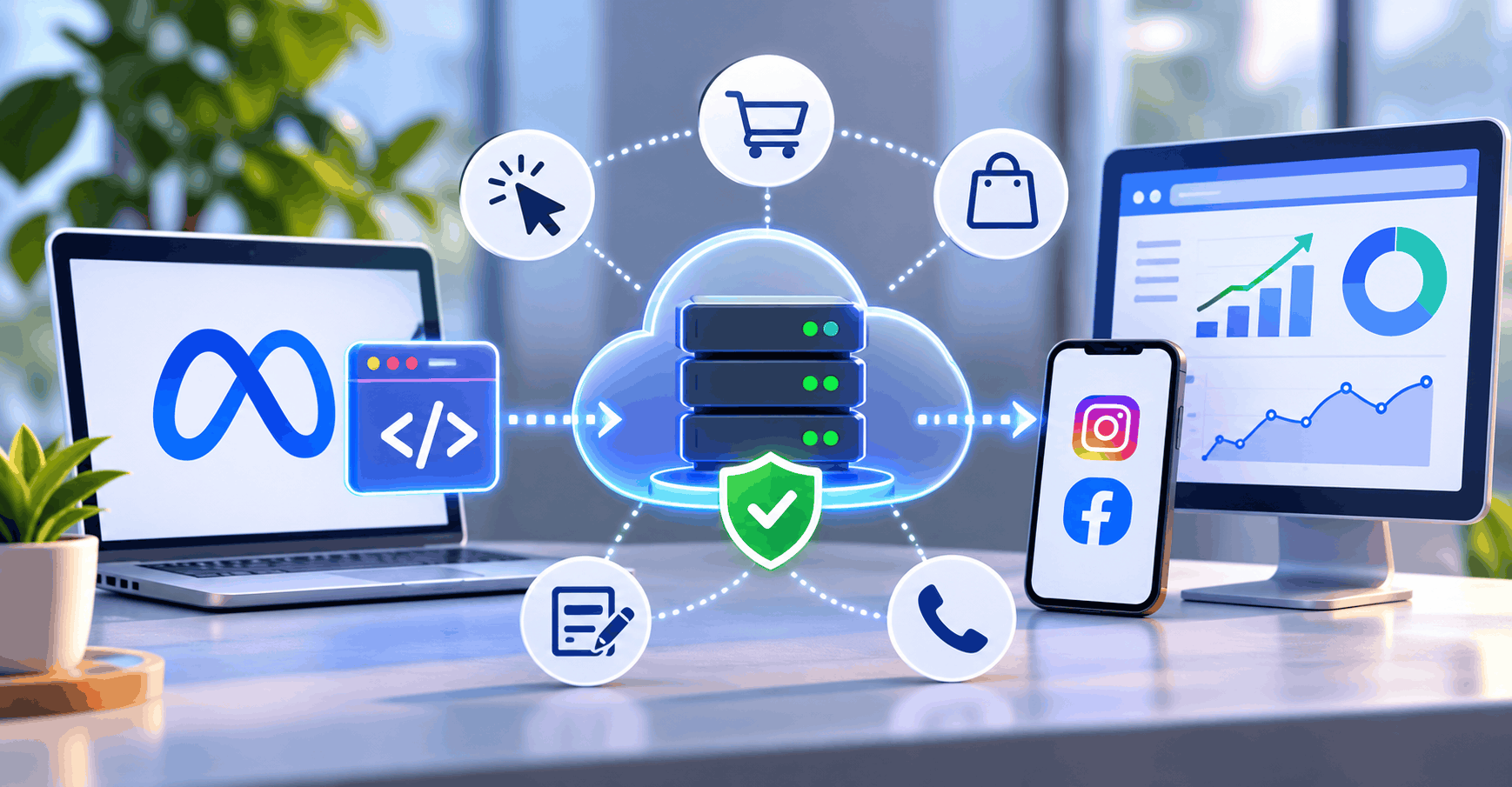

The Meta Ads Pixel (still called Facebook Pixel by many marketers) tracks browser activity, while the Conversions API, or Meta CAPI, sends events from your server. Together they make ad tracking far more complete, but only if Event Deduplication ensures each conversion counts once. This guide covers server-side tracking, setup routes including the CAPI Gateway, and how to check Event Match Quality in Meta Events Manager.
What Is Meta Ads Pixel and Conversions API?
The Meta Pixel is a JavaScript snippet that fires events such as PageView, AddToCart and Purchase from the visitor’s browser. It reads cookies like _fbp and _fbc and sends them to Meta.
The Conversions API works differently. Your server, CRM or e-commerce platform sends the event straight to Meta, so no browser has to run a script.
Meta recommends running both, which it calls a redundant setup. The browser captures on-site behavior and cookie signals. The server confirms real orders and adds first-party customer data. The catch is that both can report the same purchase, which is why deduplication matters.
Meta Pixel vs CAPI 2026: Key Differences
Meta Pixel vs Conversions API Difference
| Factor | Meta Pixel | Conversions API |
| Data source | Visitor’s browser | Your server or platform |
| Dependency | Browser, cookies, JavaScript | Server logic and data quality |
| Blocker risk | Exposed to ad blockers and browser limits | Not affected by browser blocking |
| Data control | Limited | High: you decide what is sent |
| Complexity | Low | Low to high, depending on method |
| Best for | Behavior, cookies, quick launch | Confirmed purchases, CRM and offline events |
Why Server-Side Tracking Is Important for Facebook Ads
Browsers increasingly restrict cookies and scripts, and ad blockers stop some pixels from loading. Server-side tracking Facebook Ads setups can recover eligible events the browser misses. It doesn’t replace the Pixel, because Meta still benefits from browser signals.
Meta Conversions API Setup 2026: Step-by-Step Guide
Here is a step by step Facebook CAPI setup that works on any stack:
1. Open Meta Events Manager and confirm your Pixel or dataset.
2. Choose an integration method (below).
3. Send the same standard events from browser and server.
4. Add customer information parameters.
5. Pass a matching event ID on both sides.
6. Verify everything in the Test Events tab.
Beginners should start with a native or partner integration. Technically advanced teams get the most control from server-side GTM.
Facebook CAPI Integration Shopify
Shopify’s Meta channel app connects your dataset and supports Conversions API through its data-sharing settings. Review those settings after installing, and confirm in Test Events that browser and server events both arrive. Ecommerce stores without developers can usually stop here.
Meta Conversions API WordPress Setup
For a Meta Conversions API WordPress setup, use Meta’s official plugin or a trusted partner plugin. It covers WooCommerce events and customer data without custom code. Check the plugin for duplicate Pixel installs.
Meta CAPI Google Tag Manager and CAPI Gateway
The Meta CAPI Google Tag Manager route needs a server-side container hosted on cloud infrastructure. A standard GTM web container runs in the browser and cannot send server events. Web tags collect the data, and the server container forwards it to Meta.
The CAPI Gateway is Meta’s hosted option. It suits server-side tracking for Meta ads without a developer, though you get less customization than with sGTM.
Meta Event Deduplication Guide: How to Prevent Duplicate Events
Event Deduplication tells Meta that a browser event and a server event describe one action. Without it, reports can show inflated conversions and distorted ROAS.
What Is event_id in Meta Pixel?
The event ID is a unique string that identifies one event instance. The names differ by channel: the browser Pixel uses eventID, while the Conversions API uses event_id.
Browser Event:
event_name = Purchase
eventID = ORDER123
Server Event:
event_name = Purchase
event_id = ORDER123
Meta treats these as one conversion when the Pixel event name matches the CAPI event_name and the IDs match. According to Meta’s documentation, matching events sent to the same Pixel ID are deduplicated when they arrive within 48 hours of each other. A server event isn’t discarded if no browser event was received in the previous 48 hours.
To deduplicate purchase events Meta ads can trust, generate the ID once, such as from the order number, and pass it to both channels. Never reuse one ID across different actions. Two orders sharing an ID would look like a single purchase.
How to Deduplicate Facebook Events GTM
To deduplicate Facebook events in GTM, generate the ID in a data layer variable. Add it as eventID in the Pixel tag’s additional data. Then forward the same value to the server container and map it to event_id in the Meta CAPI tag. Fire the Pixel only after the ID exists.
How to Fix Meta Pixel Duplicate Events and Purchase Tracking Issues
To fix Meta Pixel duplicate events, work through these checks:
• Compare IDs in Test Events. Mismatched IDs are the most common cause.
• Check event names. Purchase and purchase are not the same.
• Look for two Pixels or two integrations installed together.
• Confirm one Purchase fires per order, not on every thank-you page reload.
Event Match Quality and Meta Ads ROAS Optimization
Event Match Quality (EMQ) shows how well Meta can connect an event to a person. Meta compares the customer information parameters you send against its own records.
Key parameters include:
• Email and phone: strong identifiers, normalized (trimmed, lowercase email; phone with country code) and then SHA-256 hashed.
• external_id: your own customer or user ID.
• fbp and fbc: browser and click identifiers, sent as-is rather than hashed.
Poor normalization produces a different hash, so the match fails silently. To improve Meta events match quality score results, send more valid parameters, pass fbp and fbc from the browser, and collect consent properly. Don’t treat any EMQ number as a guaranteed benchmark. Better signals help optimization and attribution, but they don’t guarantee results.
Better data also makes budget decisions sharper. Accurate conversions help every channel, from keyword match type decisions in Google Ads to Meta campaign testing. Google and Meta measure conversions differently, so judge each in its own reporting. Reliable tracking also supports ad scheduling analysis by day and time, because timing decisions are only as good as the conversion data behind them.
Server-Side Tracking, iOS Privacy and Accurate Meta Ads Attribution 2026
People search for how to bypass iOS 14 privacy Meta ads, but CAPI doesn’t bypass anything. It cannot override Apple’s privacy protections, user consent choices or Meta’s data-processing rules. If a user opts out, server-side tracking is not permission to track them.
What CAPI does is send eligible events reliably when browser scripts fail. Respect consent for both Pixel and server data. Accurate Meta ads attribution 2026 depends on clean data, consistent windows and honest expectations.
Meta Offline Conversions API
Meta’s separate Offline Conversions API is legacy. Offline events (store sales, phone orders, CRM stages) now go through the Conversions API with action_source set to physical_store. Meta advises uploading physical store transactions within 62 days. Offline events can be deduplicated against other offline events, not against Pixel events.
Common Meta Pixel and Conversions API Tracking Problems
Common issues include:
• Duplicate Purchase events.
• Missing browser or server events.
• Wrong event IDs or event names.
• Missing parameters such as value and currency.
• Low EMQ from thin customer data.
• The wrong Pixel or dataset connected.
Why Facebook Conversion Numbers Don’t Match GA4
Why Facebook conversion numbers don’t match GA4 comes down to measurement differences. Meta Ads Manager reports conversions under its own attribution windows and credits Meta ads. GA4 uses its own attribution model across all sources. Consent, cross-device journeys, ad blockers and time-zone settings widen the gap further. CRM reports may differ again because they count closed deals.
Expect some variance, and investigate only large, sudden gaps. Compare trends instead of chasing identical totals, and apply the same discipline when you review competitor and impression share data in Google Ads.
Conclusion
The Pixel and Conversions API work best as a pair. Pick a setup that fits your skills, send matching event names and unique IDs, strengthen customer data, and respect consent. Then audit Test Events regularly.